Construction Bid & Estimate Template
Professional bid template and estimate spreadsheet for contractors, electricians, and plumbers. Works in Excel and Google Sheets. Create accurate bids and win more projects.
Everything You Need
Complete set of tools for professional bid preparation and cost estimation
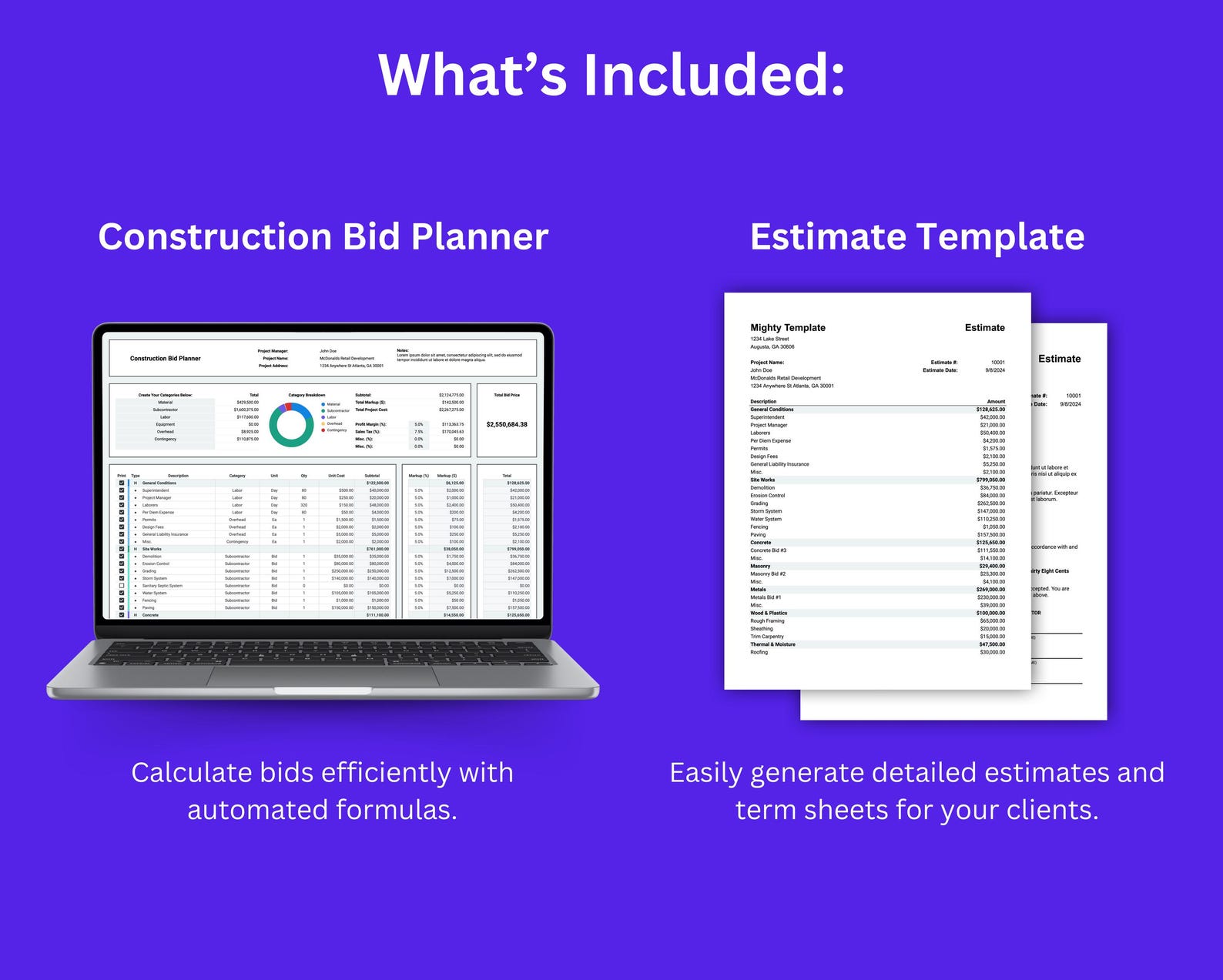
Construction Bid Planner & Estimate Template
Complete construction bid planner and estimate template all in one. Professional tool for accurate project bidding.
- Bid calculator
- Estimate template
- All-in-one solution
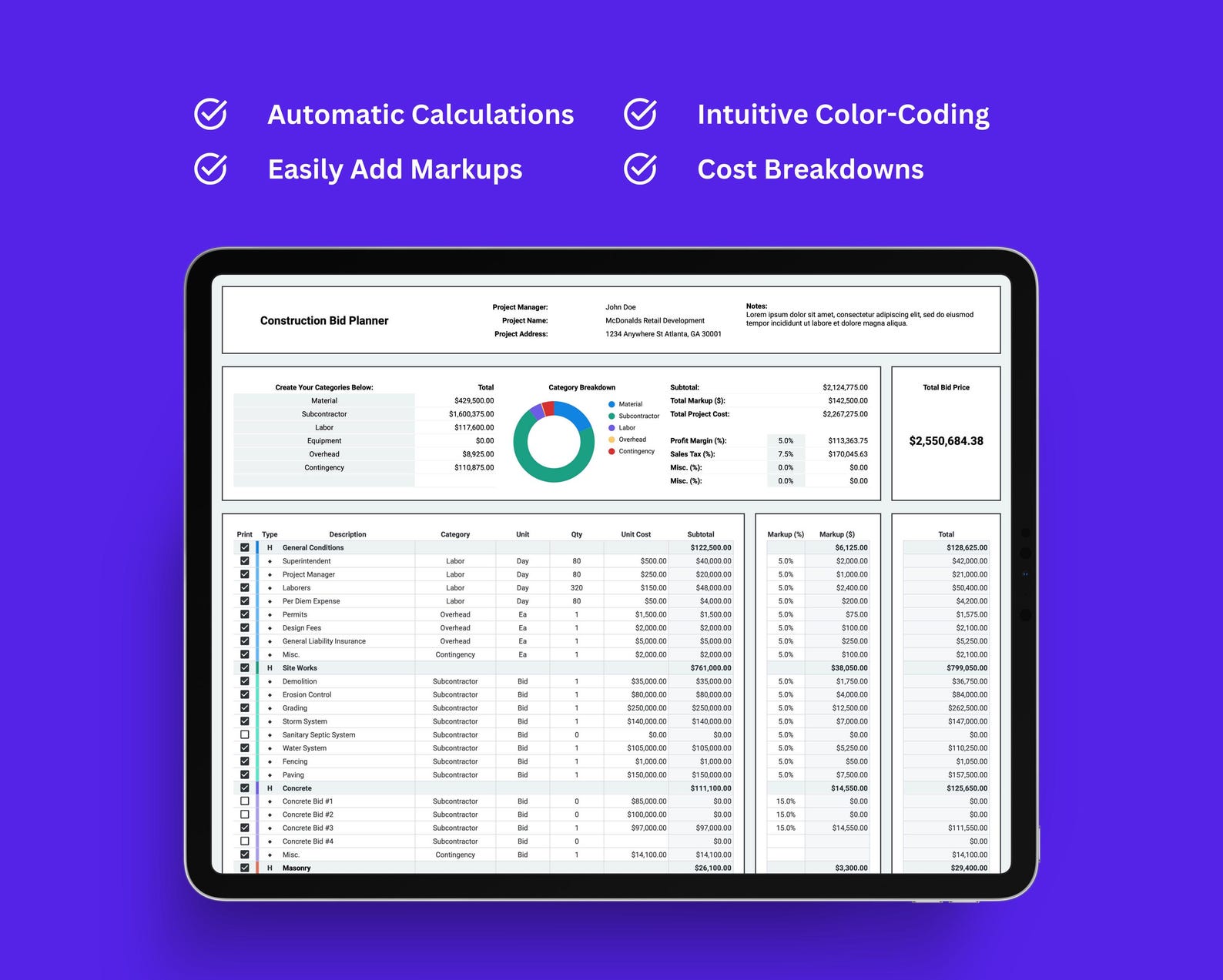
All-in-One Dashboard
Everything you need in a single dashboard. Manage bids, estimates, and projects from one central location.
- Unified dashboard
- Centralized management
- Easy navigation
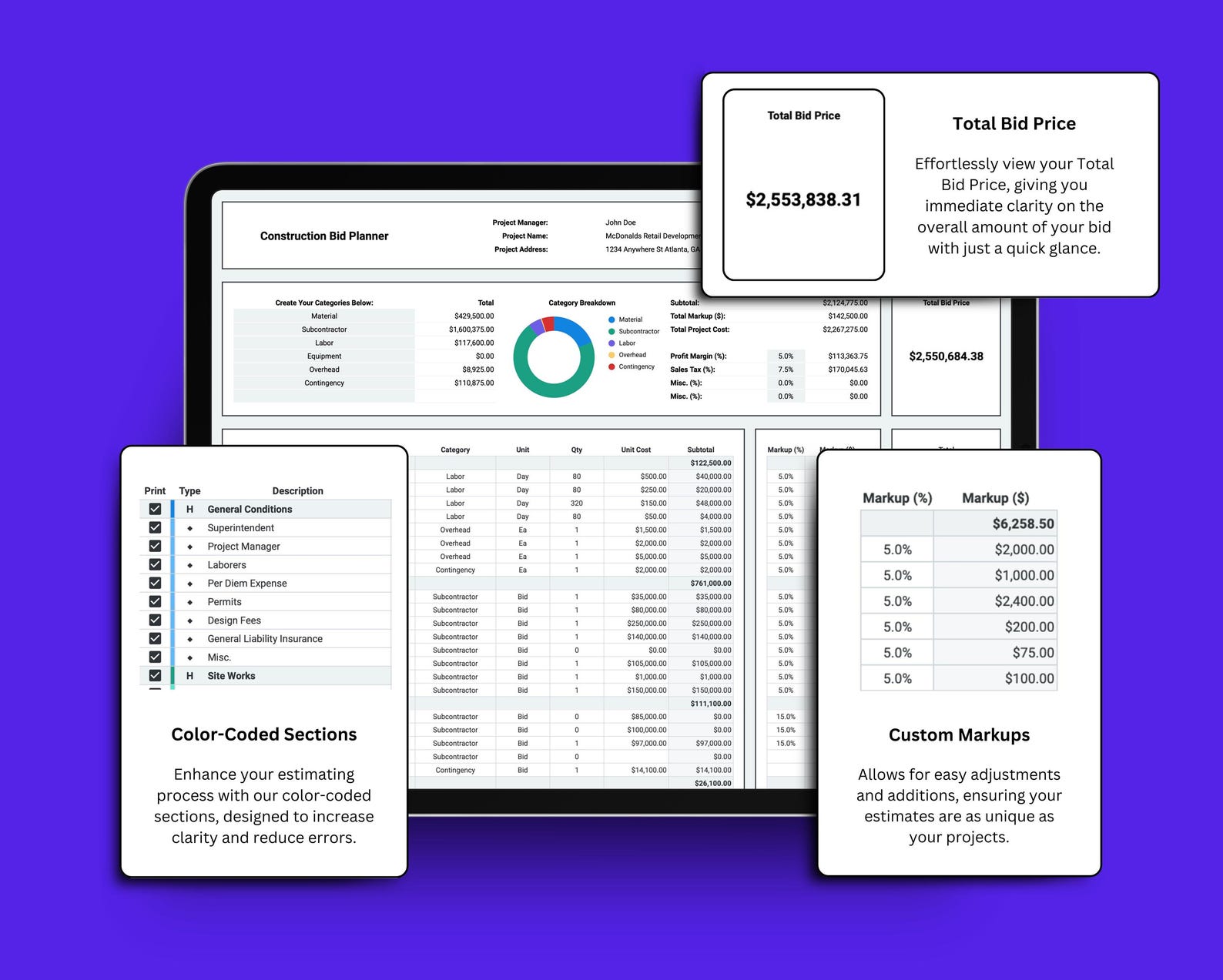
Easy Customization & Markups
Customize markups and settings with ease. Adjust percentages and pricing to match your business needs.
- Custom markups
- Flexible pricing
- Easy adjustments
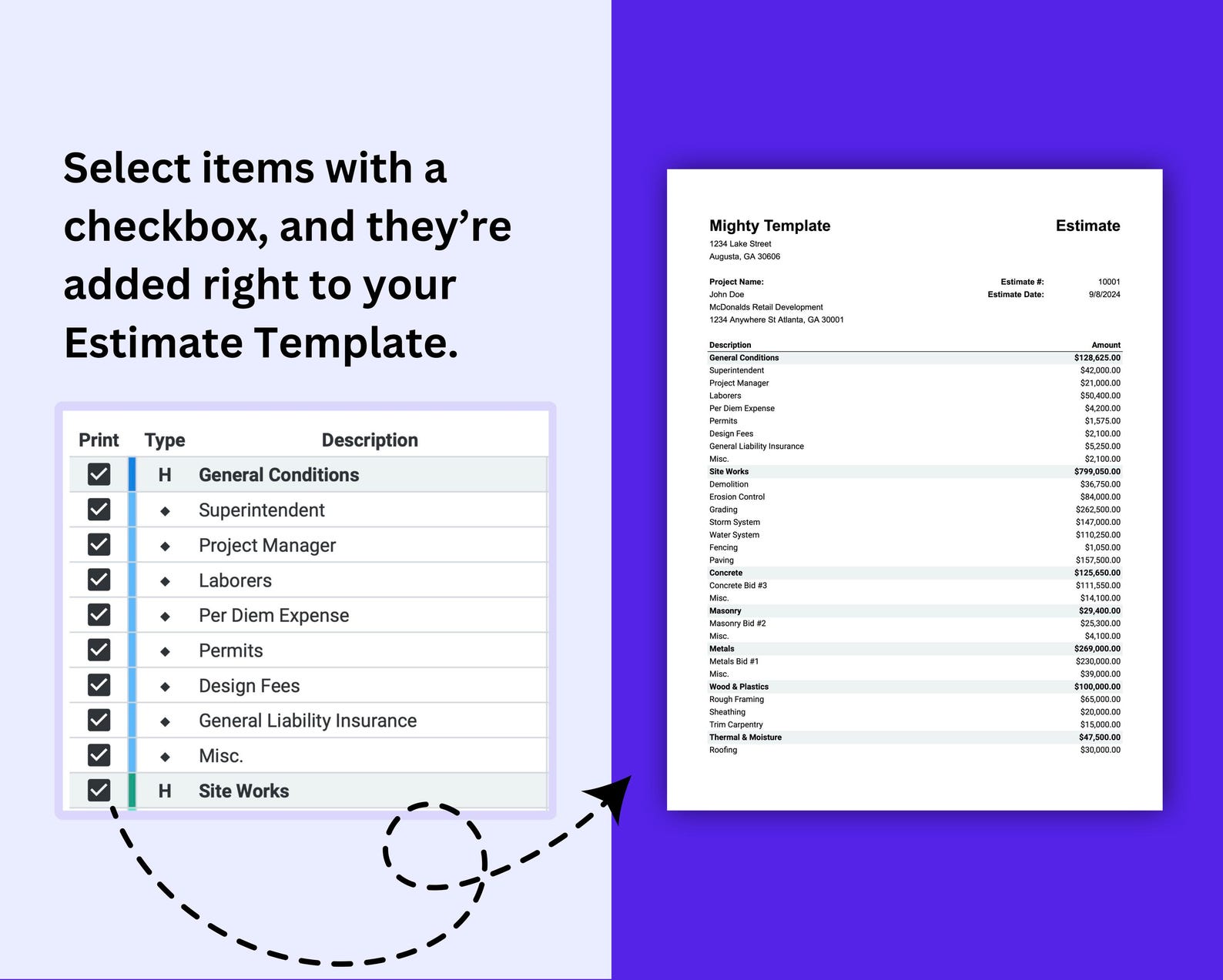
Checkbox Selection System
Select items with checkboxes and they will be added right to your estimate template. Streamline your workflow.
- Checkbox selection
- Auto-add to estimate
- Quick item selection
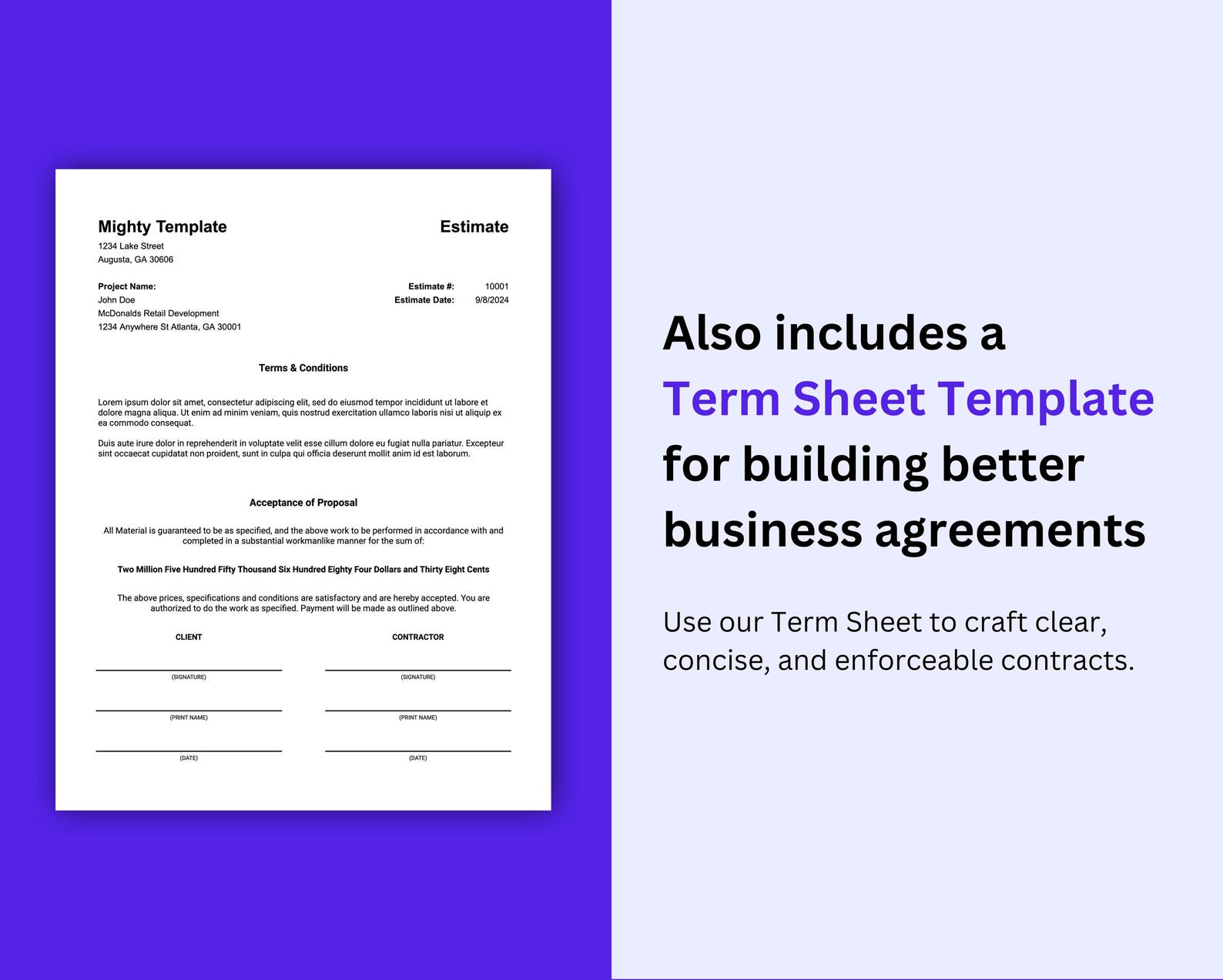
Includes Terms Sheet Template
Professional terms sheet template included. Create clear and legally sound contracts for every project.
- Terms sheet template
- Legal compliance
- Pre-filled fields

Works with Excel & Google Sheets
Compatible with Microsoft Excel and Google Sheets. Use your preferred platform with full functionality.
- Excel compatible
- Google Sheets support
- No installation needed
Creating accurate bids is great, but...
...but actually creating professional bids is hard 😩
Let's be real, no one creates bids from scratch anymore. The smart way is to use proven templates, see what works for successful contractors, and adapt it to your own projects.
But it takes an absurd amount of time! Manually calculating costs, formatting estimates, creating terms sheets, tracking markups, etc.
That's why we created the Construction Bid & Estimate Planner. It's a professional template that helps you create accurate, winning bids in just a few minutes.
No more wasting hours on manual work. Create professional bids, win more projects, and get results!
Buy Now - $99 USDWhy Choose Construction Bid & Estimate Planner
Professional bidding made simple. Save time and win more projects.
👎 Without This Template:
- ✗Waste hours on manual calculations
- ✗Prone to calculation errors
- ✗Inconsistent bid formatting
- ✗Have to recreate templates for each project
- ✗No visual cost breakdown
- ✗Time-consuming contract creation
2-3 hours wasted every week
👍 With This Template:
- ✓Automated calculations in seconds
- ✓Error-free formulas built-in
- ✓Professional formatting every time
- ✓Reusable templates for all projects
- ✓Color-coded cost visualization
- ✓Pre-filled contract terms ready to use
2-3 hours saved every week
Compatibility Information
Requires Google Sheets, Microsoft Excel 365, or Excel 2021 (or newer).
Uses modern Excel functions (LET(), FILTER(), UNIQUE(), SORT()) not available in older versions.
After purchase, you'll receive a PDF with links to download Excel files or open in Google Sheets.
How to Fill Out a Construction Bid Template: Step-by-Step
A good construction bid template turns bidding into a repeatable process instead of a late-night scramble. The workflow below matches the tabs in this estimate spreadsheet, but the same steps apply to any bid template — whether you are an electrician, plumber, or general contractor. For quick ballpark numbers before a full bid, start with our free electrician estimate calculator.
Step 1: Review the Scope and Plans
Carefully read every page of the project plans, specifications, and scope of work. Note all electrical, plumbing, or mechanical requirements. Visit the job site if possible to identify conditions that affect cost, like access limitations or existing work that needs removal.
Step 2: Create a Detailed Material Takeoff
List every material needed, organized by area or system. Count fixtures, measure wire runs, tally devices, and note special equipment. Add 10-15% for waste on most materials and 20% on items with high scrap rates like conduit and wire.
Step 3: Estimate Labor Hours
Break the project into tasks and estimate hours for each. Use labor production rates from industry guides or your company's historical data. Include supervision, travel time, material handling, layout, and cleanup. Be realistic about productivity on this specific job.
Step 4: Add Subcontractors, Permits, and Equipment
Get quotes from subcontractors for any work you will not self-perform. Include permit fees (typically 1-3% of project cost), equipment rental (lifts, trenchers, generators), and any inspection fees. Add these as separate line items.
Step 5: Apply Markup for Overhead and Profit
Add overhead (typically 10-20% for office, insurance, vehicles, tools) and profit (10-15% for standard work, 15-25% for complex or risky work). Your total markup depends on market conditions and competition. Present the final number confidently.
Formula
Bid Price = (Materials + Labor + Subs + Permits + Equipment) x (1 + Overhead% + Profit%)
Where: Materials = Takeoff total + waste, Labor = Hours x Loaded rate, Overhead = 10-20%, Profit = 10-25% based on project risk
Worked Example
Scenario: Prepare a bid for a complete residential rewire of a 2,000 sq ft home.
- Step 1: Scope: Full rewire, new 200A panel, 30 circuits, all new devices and fixtures
- Step 2: Materials: Panel $300, Wire $1,200, Devices $400, Boxes/connectors $300, Misc $200 = $2,400 (+ 10% waste = $2,640)
- Step 3: Labor: 2 electricians x 40 hours each x $50/hr loaded = $4,000
- Step 4: Permit $350, Dumpster rental $300, Inspection fee $100 = $750
- Step 5: Subtotal = $7,390. Overhead 15% = $1,109. Profit 15% = $1,275. Total bid = $9,774
Result: The residential rewire bid is $9,774, covering $2,640 materials, $4,000 labor, $750 other costs, and $2,384 for overhead and profit.
Bid Template vs Construction Bidding Software: Which Do You Need?
Contractors comparing construction bidding software and estimating tools usually face the same trade-off: dedicated estimating software is powerful but expensive and takes weeks to learn, while a well-built spreadsheet bid template covers what most small and mid-size contractors actually need — accurate takeoffs, automated math, and a professional proposal — for a one-time cost.
| Bid Template (Spreadsheet) | Bidding / Estimating Software | |
|---|---|---|
| Cost | One-time purchase (this template: $99) | $50–$300+ per user, per month |
| Learning curve | Minutes — it's Excel / Google Sheets | Days to weeks of training |
| Customization | Full control over every formula and line item | Limited to vendor's features |
| Works offline | Yes (Excel) or anywhere (Google Sheets) | Usually cloud-only |
| Best for | Solo contractors and crews up to ~20 people | Large firms with dedicated estimators and complex multi-project pipelines |
The math is simple: a $99 one-time template pays for itself against even the cheapest estimating software subscription in the first two months. If you grow to the point where you need integrated project management, accounting sync, and multi-user workflows, software earns its subscription — and your template data migrates easily because it is already structured in spreadsheet form.
Construction Bidding Questions & Answers
Do I need construction bidding software or is a bid template enough?
For solo contractors and crews up to about 20 people, a spreadsheet bid template covers the full bidding workflow — takeoff, labor, markups, and a professional proposal — for a one-time cost instead of a $50-$300 monthly subscription. Dedicated bidding software makes sense for large firms with full-time estimators, multi-project pipelines, and accounting integrations.
What markup percentage should I use for electrical work?
Most electrical contractors use 10-20% overhead and 10-15% profit markup. For standard residential work, a combined markup of 25-35% is common. Complex commercial or industrial work may warrant 30-50% total markup due to higher risk, bonding requirements, and coordination costs.
How do I estimate labor hours for an electrical project?
Use NECA Manual of Labor Units or your company's historical data. Track hours per task: outlet/switch installation (0.5-1 hr each), lighting fixture (0.5-2 hrs), panel install (4-8 hrs), wire pulling (varies by length and conduit type). Add 15-20% for supervision, material handling, and cleanup.
What should I include in a construction bid?
A complete bid includes: material costs with waste factor (10-15%), labor hours at burdened rate, subcontractor quotes, equipment rental, permits and inspection fees, overhead allocation (insurance, vehicle, office), profit margin, payment terms, scope exclusions, and project timeline.
How much waste factor should I add for materials?
Add 10% waste for standard materials like wire, conduit, and fittings. Use 15-20% for materials with high scrap rates like conduit on complex bends, or when working in renovation/remodel conditions. Specialty items with long lead times should have minimal waste since replacements are costly and slow.
How do I price change orders on a construction project?
Change orders should include actual material costs plus markup, labor at T&M (time and materials) rates, equipment costs, and an administrative fee (typically 15-20% of the change). Always get written approval before starting change order work. Many contractors charge a premium rate for changes since they disrupt workflow.
What insurance do electrical contractors need for bidding?
Most projects require: general liability ($1-2M), workers compensation, commercial auto, and an umbrella policy. Commercial and industrial work often requires $5M+ in coverage. Your insurance costs typically run 3-8% of annual revenue and should be factored into your overhead when bidding.
Should I bid fixed-price or time and materials?
Fixed-price (lump sum) bids are standard for well-defined scopes with clear plans. Use time-and-materials for undefined scope, troubleshooting, or service work. T&M reduces your risk but clients prefer fixed-price for budget certainty. For renovation work with unknowns, consider a T&M-not-to-exceed structure.
How do I calculate my burdened labor rate?
Start with the hourly wage, then add: payroll taxes (7.65% FICA), workers comp (8-15% for electrical), health insurance ($3-8/hr), vacation/holiday pay (4-8%), retirement contributions (3-6%), and tool allowance ($1-3/hr). A $30/hr wage typically becomes $45-55/hr burdened.
Ready to Streamline Your Bidding Process?
Join thousands of contractors who are winning more projects with accurate, professional bids.
Get Your Template Now - $99 USDInstant download after purchase • Lifetime updates included